
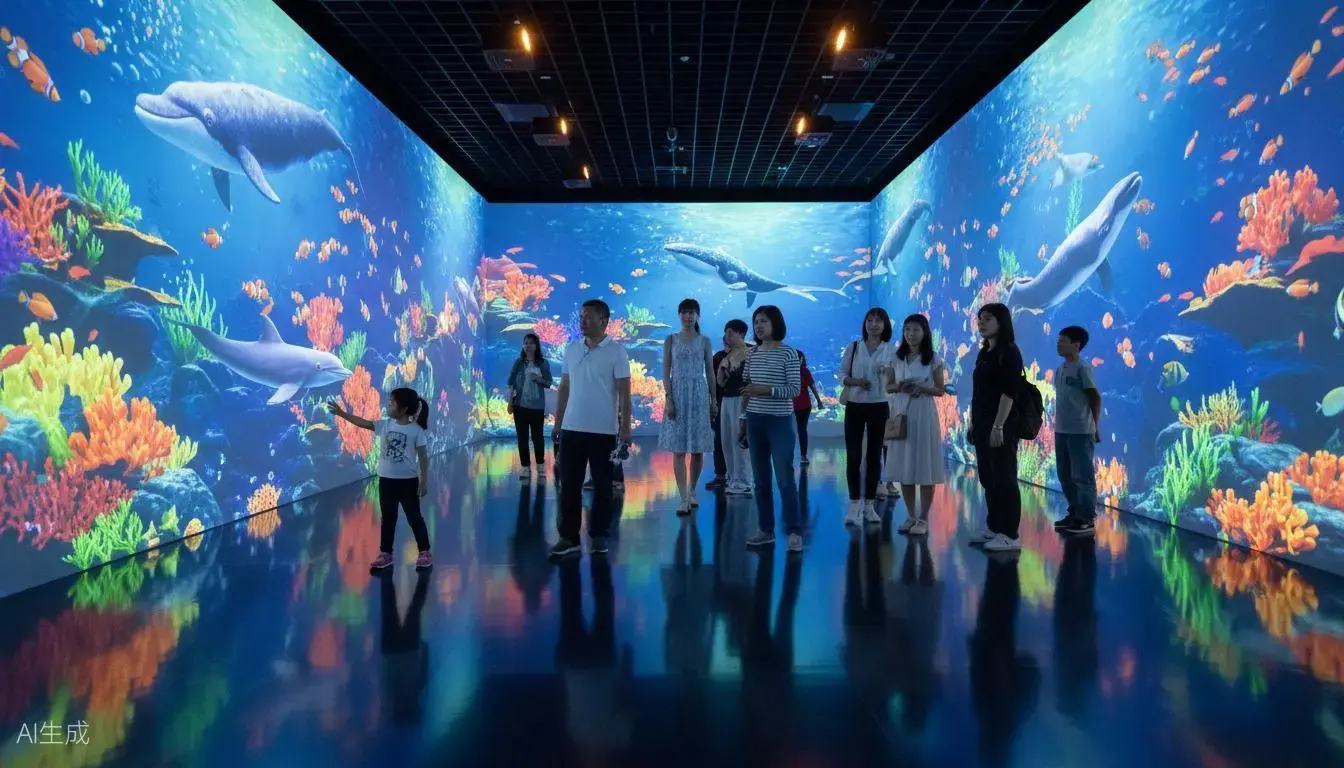
Hand-based interaction across large surfaces
T and P Series are designed for palm and hand-based interactive displays in museums, brand showrooms, education spaces and entertainment venues. Use them with content designed around large touch targets, shared activities and clearly visible responses.
For projects that need smaller buttons or finer touch input, compare our F Series finger touch system. Selecting the sensing system together with the interface design helps create a better experience.
See the Application Demos
Explore showroom, themed-wall and children's game applications. Contact Gloview to match the hardware configuration and software to your project.
Interactive Showroom Wall
A wall interaction application for showroom and exhibition projects.
Themed Interactive Wall
A themed wall application for immersive exhibitions and entertainment spaces.
Children's Interactive Wall Game
A children's wall game application for play and entertainment venues.
T Series or P Series: Which Fits Your Project?
| Parameter | T Series | P Series |
|---|---|---|
| Touch latency | <30 ms | <100 ms |
| Maximum positioning deviation | ≤2 cm | ≤3 cm |
| Selection priority | Faster response and finer positioning | More economical configuration |
Touch latency excludes game, application and display response time. The complete interaction experience also depends on the computer, software and display.
T Series: prioritize interaction feel
T Series has a higher refresh rate than P Series. It is the preferred option when users frequently move or drag content and the project places greater emphasis on responsiveness.
P Series: prioritize budget
P Series offers a lower-cost option for large-area interaction. Evaluate it against the speed, target size and positioning requirements of your content.
Shared Technical Specifications
| Simultaneous touch points | Up to 30 across the entire combined system |
|---|---|
| Multi-screen cascading | Up to 6 linked screens |
| Maximum combined coverage | 96 m × 5 m using six sets; not single-unit coverage |
| System components | Laser emission device and sensor camera |
| Software communication | HID, mouse and TUIO protocols |
| Calibration | Automatic, manual and four-point calibration |
| Interference management | Static masking, dynamic masking and rejection of reflection points |
| Sensor camera lenses | Six lens options; ratio range 0.15–1.36. These are sensor lenses, not projector lenses. |
| Camera-to-computer transmission | Up to 100 m via network cable or optical fiber, with the appropriate configuration |
| Applicable surfaces | Walls, floors, LED and LCD screens, curved, circular and irregular screens, glass and sand tables; configuration depends on site conditions |
Thirty touch points are shared across the installation, regardless of the number of screens. The number of simultaneous participants depends on how many points each activity uses and what the software supports.
Plan the Surface, Sensing and Display Together
Share the surface dimensions, shape and available mounting positions before selecting the equipment. Curved surfaces, glass and physical sand tables need a layout suited to their geometry and installation conditions.
The touch system supplies interaction input. Projection or LED/LCD equipment supplies the image, while compatible software determines how that image responds. The six sensor lens options help configure the sensing layout; they do not specify the projection lens.
Explore special-shape interaction or immersive and CAVE applications for related project formats.
Connect to Your Interactive Software
Integrate through HID, mouse or TUIO according to your application's input support. Confirm multi-touch handling with the software developer: an application that accepts a mouse does not automatically support 30 simultaneous touch points.
The camera-to-computer connection can extend up to 100 m using network cable or optical fiber with a suitable configuration. Discuss cable routing and computer location during project planning.
Automatic, manual and four-point calibration provide setup options. Static and dynamic masking, together with rejection of reflection points, help manage unwanted sensing responses in the configured installation.
Get a Configuration for Your Project
Send us the information below so we can recommend T or P Series and the equipment layout:
- Surface width, height, shape and site photos or drawings.
- Projection, LED or LCD display arrangement and the number of screens.
- Interaction type, typical target size and expected simultaneous touch points.
- Software input protocol and camera-to-computer cable distance.
- Project budget, installation schedule and integration requirements.
Frequently Asked Questions
How do I choose between T Series and P Series?
Choose T Series when faster touch response and a smaller positioning deviation are priorities. T Series touch latency is below 30 ms, with a maximum positioning deviation of 2 cm. P Series is the more economical option, with touch latency below 100 ms and a maximum positioning deviation of 3 cm. Both latency figures exclude game, application and display response time.
Does each screen support 30 touch points?
No. The combined system supports up to 30 simultaneous touch points in total, including configurations with multiple screens. Touch points are not a guaranteed participant count; each person may use more than one point, and the software must support the intended interaction.
Is 96 m by 5 m the coverage of one unit?
No. The maximum 96 m by 5 m coverage is a combined configuration using six sets. The system supports up to six linked screens. Coverage and installation layout should be confirmed for each project.
Can the system work with our existing software?
The system communicates through HID, mouse or TUIO protocols. The application must support the selected input method and the required number of simultaneous touch points. Mouse-mode compatibility alone does not provide multi-touch functionality.
When should I choose F Series finger touch instead?
Consider F Series for smaller interface targets and finer touch interaction. Its maximum positioning deviation is 5 mm under ideal conditions. T and P Series are options for large-area, hand-based interaction with interface targets sized for their positioning performance.