
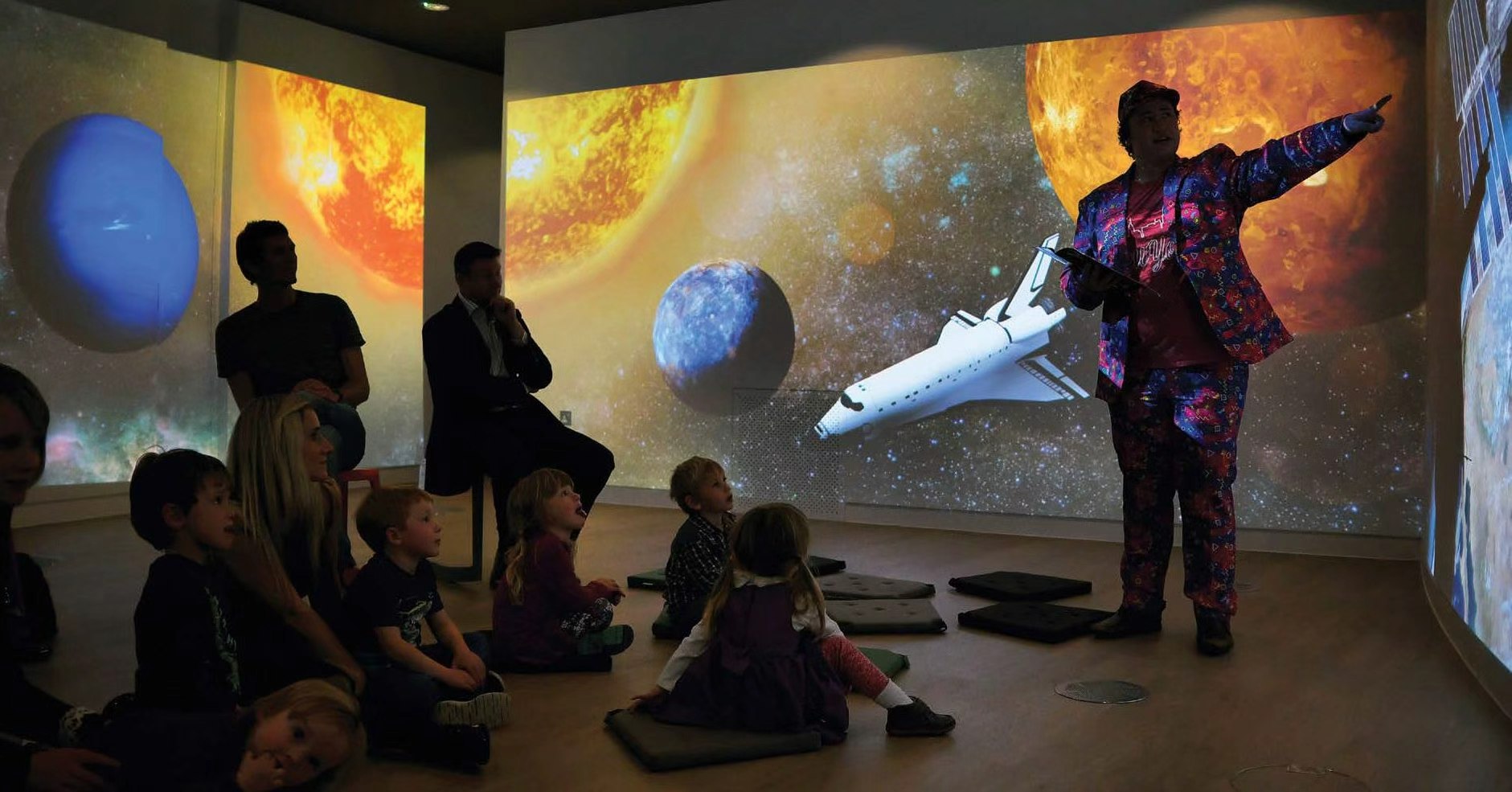
CAVE projection is a common form of immersive projection space. It usually uses multiple projectors to display images across walls, floors, and sometimes several vertical surfaces, allowing users to step into a space surrounded by visual content. Compared with a standard single-wall projection, CAVE projection creates a stronger sense of space, immersion, and visual impact. It is widely used in museums, science centers, corporate showrooms, cultural tourism projects, education and training spaces, and virtual simulation environments.
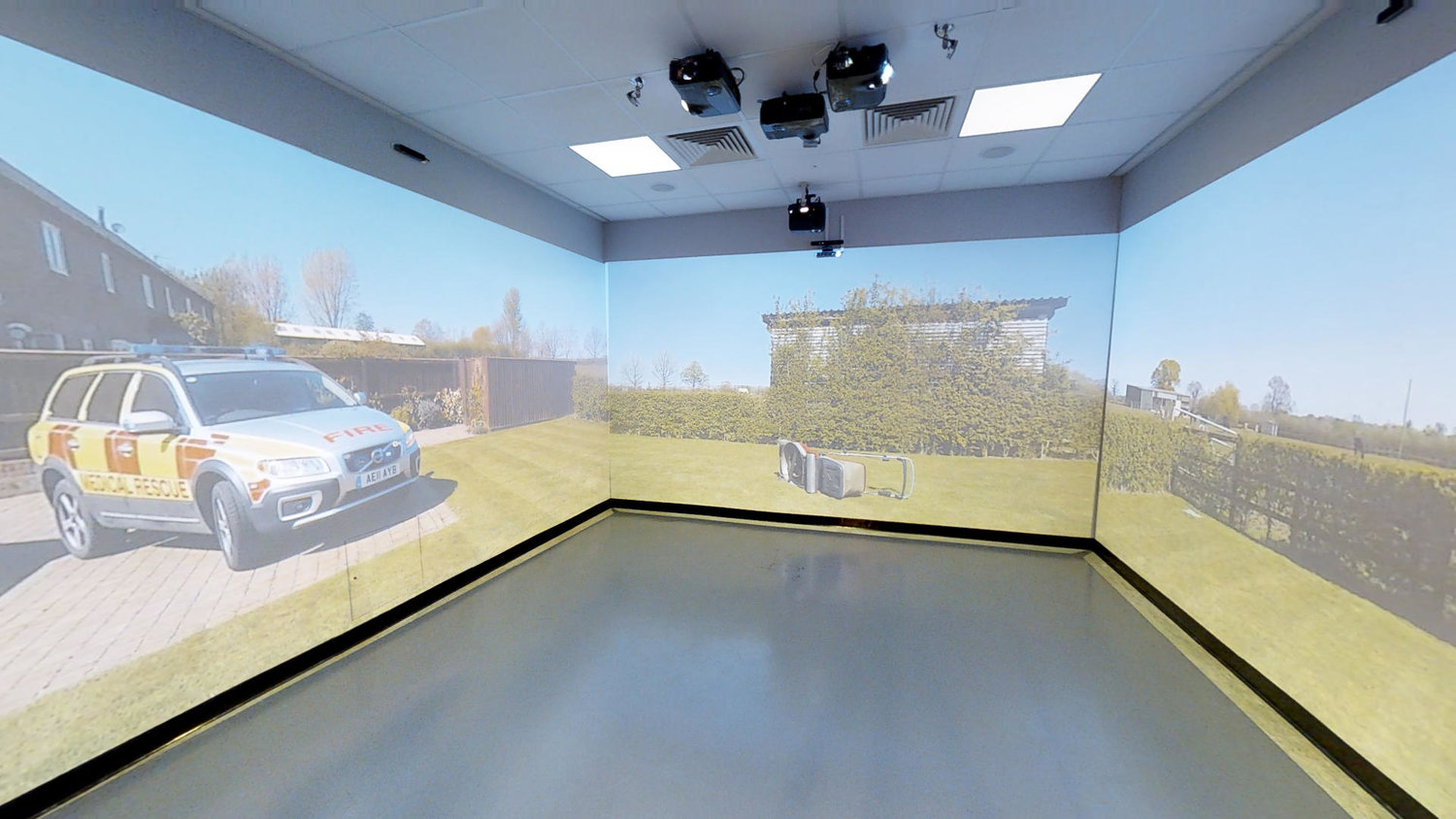
The main value of traditional CAVE projection is usually viewing. Users can stand inside the space and experience surround visuals, 3D content, virtual scenes, or immersive videos. However, in many projects, users can only watch passively. They cannot naturally interact with the projected content. If a project requires clicking, selecting, writing, content control, multi-user collaboration, or spatial games, a basic CAVE projection system is often not enough.
To make a CAVE projection space interactive, the key is to turn projected images into surfaces that can be sensed, touched, and controlled. Users should not only watch the content. They should be able to interact with it using fingers, palms, props, or body movements. For exhibition halls, museums, education spaces, and training rooms, this interactive capability can significantly increase user engagement and make the content easier to understand.
Gloview immersive interactive solutions are based on laser touch technology. They can turn three walls and a floor, or four walls plus a floor, into interactive projection surfaces. According to different project requirements, Gloview can provide Finger Touch, Palm Touch, or combined immersive interactive solutions, allowing users to click, slide, touch, write, collaborate, and control content across large-format projection areas.
Gloview laser touch technology also supports ultra-large interactive projection areas. For Finger Touch, a single wall or floor can support up to 3 × 12 meters. Through fusion and cascading, it can support ultra-large interactive areas up to 3 × 36 meters with millimeter-level touch accuracy. For Palm Touch, a single wall or floor can support up to 5 × 16 meters. Through fusion and cascading, it can support ultra-large interactive areas up to 5 × 96 meters.
Finger Touch is more suitable for immersive spaces that require accurate clicking, writing, annotation, and interface operation. Typical applications include education and training rooms, corporate presentation centers, interactive classrooms, and CAVE projection projects that require menu control or courseware operation. In these scenarios, touch accuracy and response speed are extremely important. If the touch position is inaccurate or there is noticeable latency, users will feel that the projected image and finger movement are not synchronized, which reduces the quality of the interactive experience.
Palm Touch is more suitable for scenarios that require larger contact areas, more natural movement, and stronger immersive experience. Typical applications include children’s interactive spaces, museum immersive exhibits, interactive walls, gesture-based content control, and multi-user game experiences. Palm interaction is not limited to precise clicking. It feels closer to natural actions such as tapping, pressing, pushing, and touching.
Compared with traditional infrared touch frames, the Gloview laser touch system does not require a visible external touch frame around a large projection area. This is especially important for CAVE projection and immersive spaces. These environments usually need continuous visuals and a clean overall appearance. If obvious frames are installed around the projection area, they can affect both aesthetics and immersion. Laser touch technology allows the interactive system to blend more naturally into the projection environment.
Compared with radar touch or simple motion-sensing interaction, laser touch has stronger advantages in accurate touch position recognition, response speed, and continuous operation. Radar or motion-sensing solutions are suitable for some wide-area sensing and simple gesture recognition, but they are often less precise when a project requires finger clicking, menu selection, accurate touch, or teaching operation. The Gloview laser touch system supports millimeter-level touch recognition and up to 120 fps response, helping reduce latency and making user actions feel more synchronized with the projected content.
In a CAVE projection project, the interactive system should not only answer the question of whether touch is possible. It also needs to support stable long-term operation. Real projects often involve projection blending, room size, ambient light, installation position, calibration, maintenance, and multi-user operation.
Maintenance is another key consideration. If an infrared touch frame has a problem, the touch performance of the entire projection area may be affected, and repair or replacement costs can be high. With the Gloview laser touch system, if one touch module becomes abnormal, it does not affect touch operation in other areas. Maintenance only needs to focus on the specific module that requires service, making the process simpler and more efficient.
Radar touch systems may also require manual recalibration if accuracy shifts over time. This can be inconvenient for non-professional users. With the Gloview laser touch system, when touch accuracy needs correction, users can complete automatic calibration with a few simple mouse clicks. The process is fast, simple, and does not require professional maintenance staff.
Gloview products have gone through multiple generations of project-based optimization. They are designed to better adapt to real installation, calibration, and maintenance requirements in actual project environments.
Interactive CAVE projection systems can be used in many application fields. In museums and science centers, they can support immersive science education, historical scene restoration, digital art, and interactive exhibits. In education and training, they can be used for virtual classrooms, corporate training, simulation exercises, and immersive teaching. In cultural tourism and commercial spaces, they can support interactive experience centers, children’s entertainment, brand showrooms, and digital marketing activities. In corporate environments, they can also become an important part of product demonstrations, solution presentations, and customer experience centers.
For project owners and system integrators, building an interactive CAVE projection space requires more than just planning the projected image. It is also important to plan the interaction method, touch area, user movement path, content format, and long-term maintenance strategy in advance. Different projects may require Finger Touch, Palm Touch, or combined immersive interactive products. The right solution should be selected according to room size, application goals, and content type.
Overall, CAVE projection is evolving from a passive immersive viewing space into an interactive experience space that users can operate, participate in, and collaborate with. Through laser touch technology, Finger Touch, Palm Touch, and immersive interactive products, Gloview provides more natural, more accurate, and more practical interactive solutions for CAVE projection and immersive projection projects.
Related Gloview Solutions
Immersive Interactive Projection: https://easitech.com.cn/products/immersive/
Immersive CAVE Room Applications: https://easitech.com.cn/applications/immersive-cave-rooms/
Finger Touch Series: https://easitech.com.cn/products/finger-touch/
Palm Touch Series: https://easitech.com.cn/products/palm-touch/
Interactive Projection Solutions: https://easitech.com.cn/interactive-projection-solutions/