
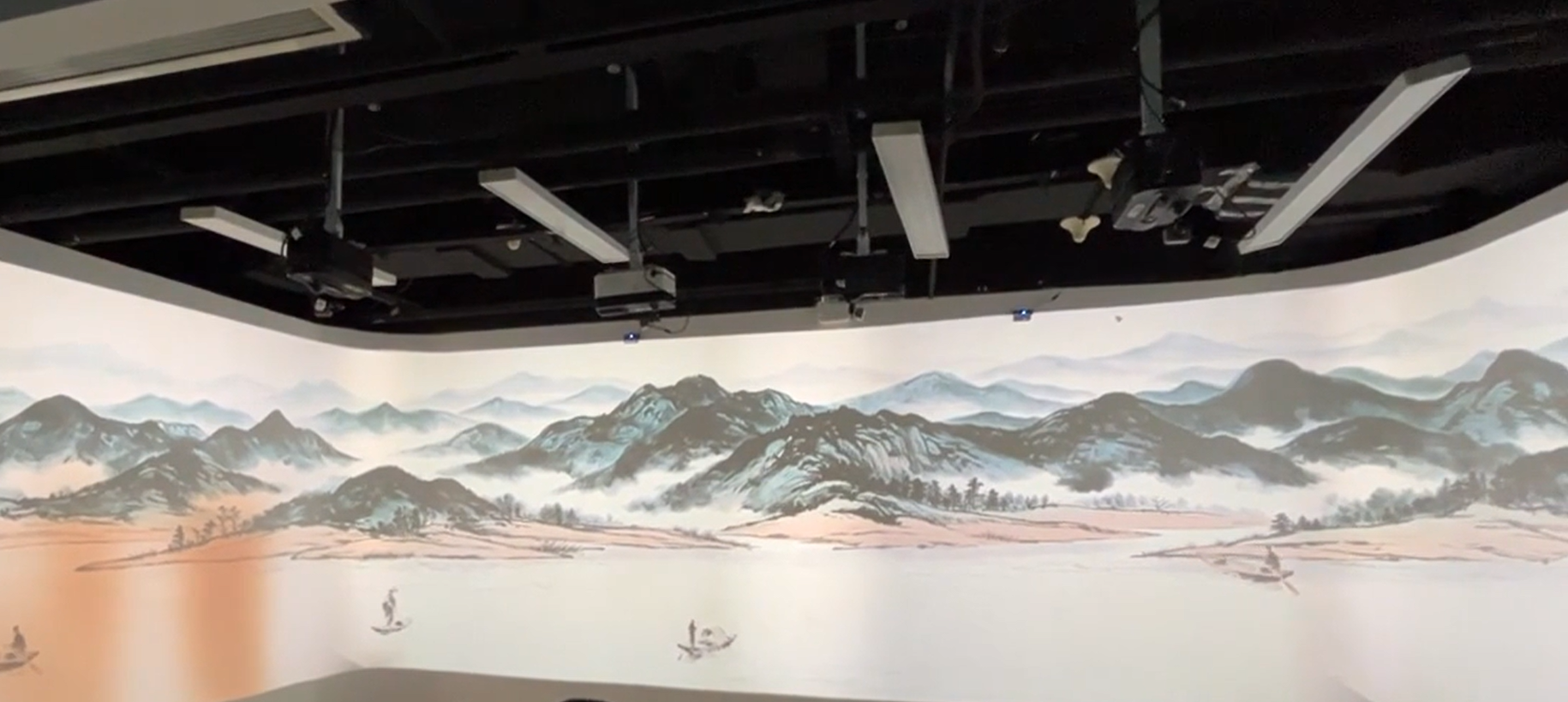
Draw a Path. Watch Your Boat Follow.
Interactive Ink Wash Projection by Gloview Games lets visitors guide a boat through a Chinese landscape using a route they draw themselves.
Move your hand across the interactive projection surface to create a line. The boat follows that path through the water, turning your drawing into movement within the scene. Gentle curves, winding lines and loops each create a different journey.
Mountains, waterways and traditional architecture provide the setting for an interactive experience inspired by Chinese ink-wash painting.
How to Play
- Draw a route directly on the interactive projection surface.
- Watch the line appear as you move your hand.
- See the boat travel along the route you created.
The drawing determines where the boat goes. Visitors can experiment with different shapes and observe how each route changes its journey.
The large projected image also lets nearby viewers follow both the drawing process and the resulting boat movement.
Explore Different Landscapes
The demonstration shows several landscape backgrounds, including broad mountain ranges, open waterways and misty peaks with traditional buildings.
Drawing colours such as blue, green and red make the routes visible against the ink-wash scenery. Visitors' lines become part of the composition while guiding the boats through it.
Landscape backgrounds can be selected through the software interface. Confirm the included scenes and available settings when choosing your package.
Key Features
- Direct hand interaction on the projected surface.
- Boats that follow visitor-drawn routes.
- Freehand paths with curves, waves and loops.
- Different drawing colours.
- Selectable Chinese ink-wash landscape backgrounds.
- A large visual canvas for interactive art experiences.
Application Ideas
Museums and Cultural Exhibitions
Create a participatory activity alongside displays about Chinese painting, landscapes or cultural themes. Visitors contribute to the scene by drawing a route and watching a boat follow it.
Art Education and Creative Learning
Explore line, shape and cause and effect through drawing and movement. Visitors can compare a smooth curve with a winding path and see how their choices change the boat's journey.
Cultural Tourism and Visitor Attractions
Introduce a hands-on digital art experience within a themed visitor space. The landscape establishes the visual atmosphere, while route drawing gives visitors a clear way to participate.
Showrooms and Interactive Exhibitions
Demonstrate how touch input controls digital content through a simple action: draw a route, then watch the boat follow it.
System and Installation Planning
Gloview Games software is supplied with compatible interaction hardware. The installation should provide a clear projected image and a touch area visitors can comfortably reach.
Please share the following information when discussing your project with EASITECH:
- Venue type and intended audience.
- Interaction surface width, height and material.
- Available projector and sensor installation positions.
- Ambient lighting conditions.
- Expected number of simultaneous users.
- Any existing projector or computer equipment.
The equipment configuration, supported interaction area and simultaneous-user capability should be confirmed for the selected package.
Frequently Asked Questions
Does the boat follow the visitor's drawing?
Yes. The visitor's drawing defines the boat's travel path. Curves, waves and loops become routes for the boat to follow through the landscape.
Is this only a landscape video?
No. Visitors control the boat's route by drawing directly on the interactive surface. Their input changes how the boat moves through the scene.
Can the landscape background be changed?
Yes. Different backgrounds can be selected through the software interface. Contact EASITECH to confirm the scenes included in your package.
Can several visitors use it at the same time?
Please share your required number of simultaneous users so EASITECH can confirm a suitable software and hardware configuration.
Discuss Your Interactive Art Project
Planning an interactive projection wall for a museum, cultural venue or creative learning space?
Send EASITECH your surface dimensions, venue layout and interaction requirements to discuss a Gloview Games configuration.
Email: easitech@hotmail.com
System information
Complete system supply
Software and compatible interaction hardware supplied together