
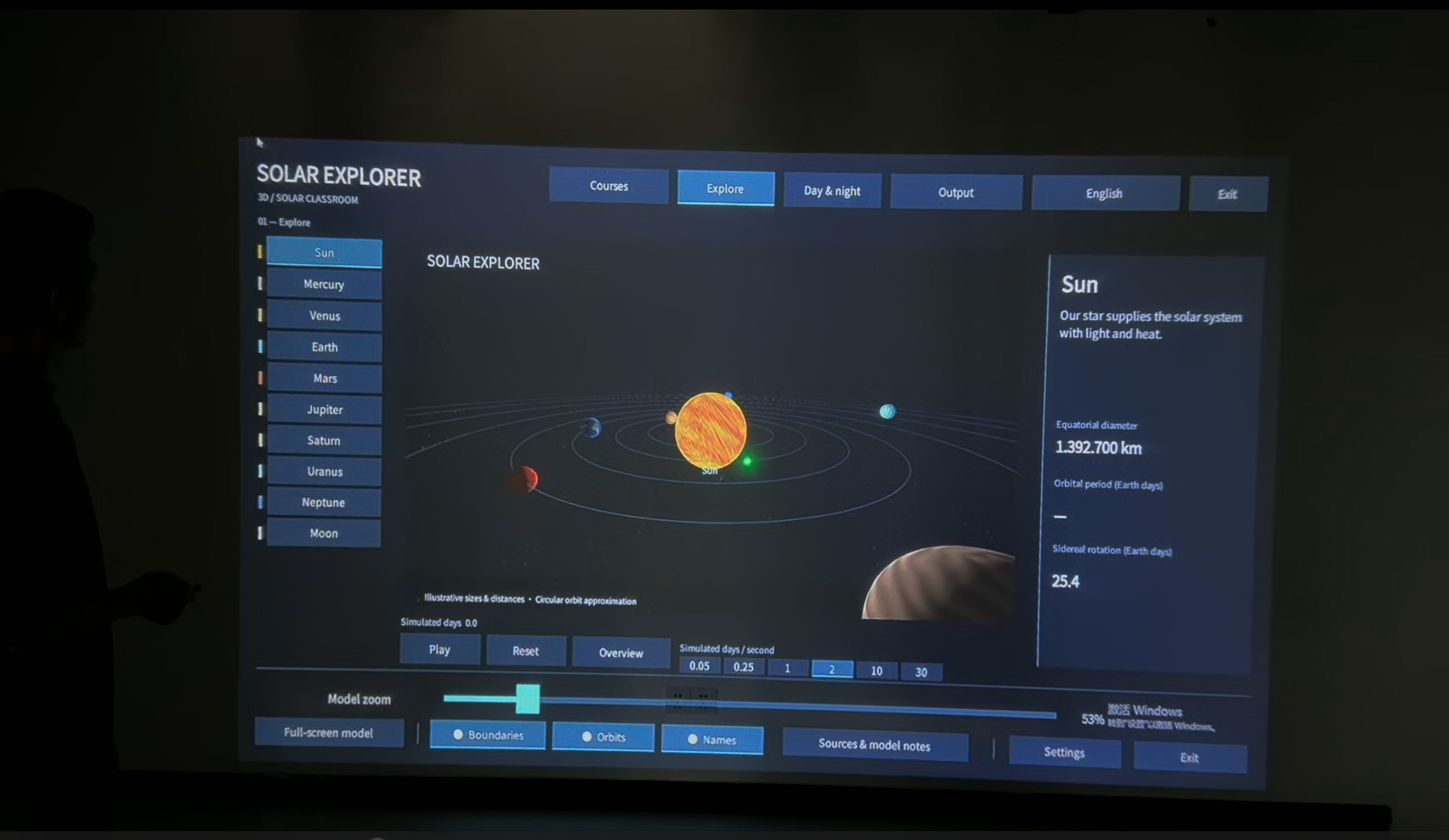
Solar Explorer by Gloview Games is interactive astronomy software for classrooms, science centers, and museums. Teachers and students can explore a 3D solar system on the projection wall using a laser pointer from a distance or by touching the surface directly with a finger.
Explore the model as a class
What makes a day different from a year? Start with a wide view and trace Earth’s orbit around the Sun. Then select Earth, zoom in, and adjust the simulation speed to observe its rotation. A student can operate the model while classmates identify the two motions and discuss what each one measures.
Choose a topic for the lesson
Alongside the 3D exploration view, the course menu offers eight starting points: eclipses, seasons, scale, challenges, planet comparisons, orbits, space missions, and solar system formation. Teachers can move between exploring the model and investigating a particular question.
For example, the planet comparison activity places planets side by side for observation. In the space missions activity, students can select Voyager 1 and move through its timeline to trace the spacecraft’s journey from Earth past Jupiter and Saturn.
Classroom and exhibit use
In a school, teachers can use the projection wall for a whole-class demonstration or invite students to lead an investigation. In a museum or science center, an educator can guide a group through the same model. The interface is available in 10 languages.
EASITECH supplies Solar Explorer with compatible Gloview interaction hardware. For a classroom or exhibit project, tell us about your space and how you would like visitors or students to take part.
Systeminformationen
Komplettsystem-Lieferung
Software und kompatible Interaktionshardware werden gemeinsam geliefert